
Reading an OBD-II Fault Code: What the System Is Telling You
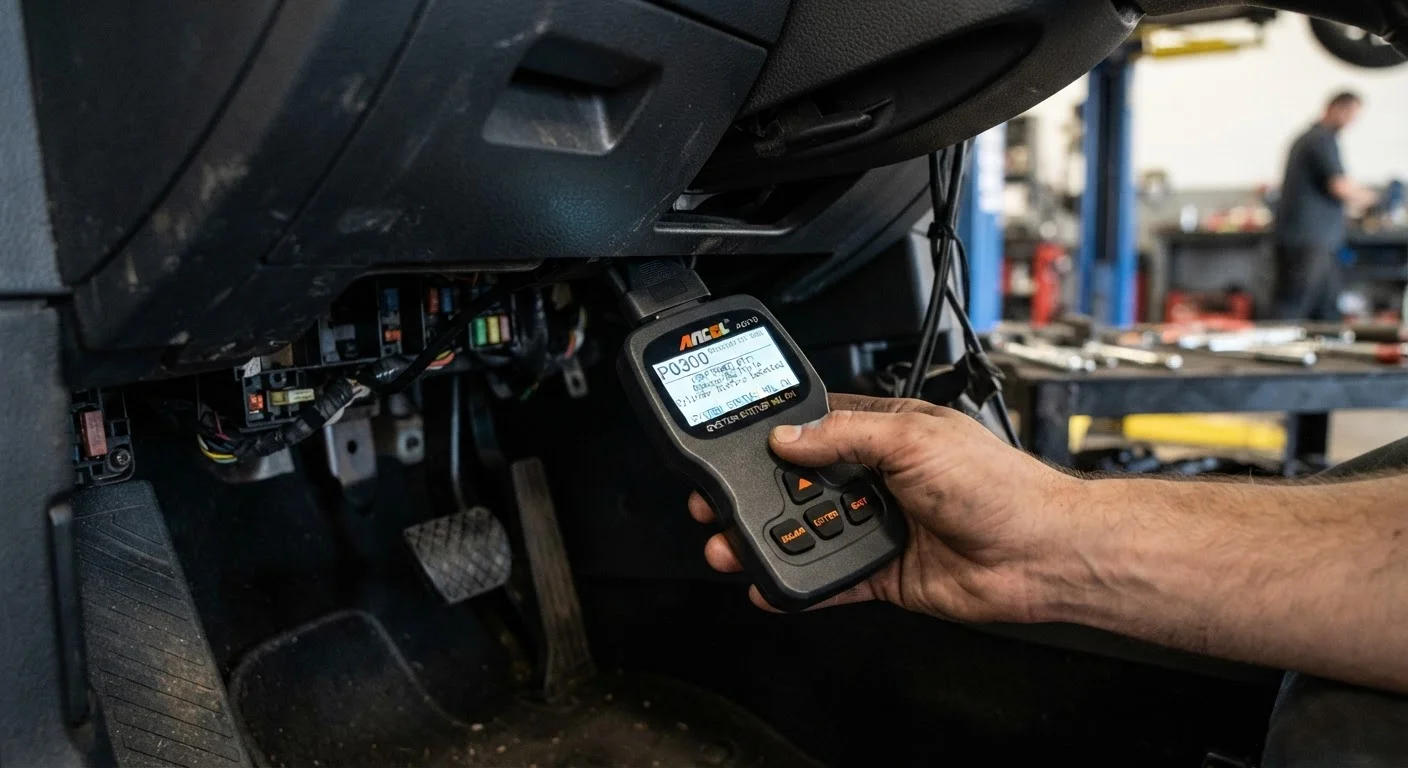
Photo credit: faqsnest.com
In this article
On-board diagnostics log errors long before a problem becomes serious. Learn how the system works and how to interpret the codes it generates.
Key Takeaways
- OBD-II has been a federal standard on all U.S. passenger vehicles sold since 1996.
- Fault codes follow a five-character structure that reveals the system, category, and specific fault.
- A basic OBD-II scanner connects to a universal port found under the dashboard of nearly every modern car.
- Reading a code is the first step — understanding what it means determines your next action.
- Some codes signal urgent problems; others are informational and can wait for scheduled service.
What OBD-II Actually Does
Every passenger vehicle sold in the United States since 1996 is required to carry an On-Board Diagnostics, Second Generation system — universally called OBD-II. It's a standardized network of sensors and a central computer (the Engine Control Module, or ECM) that continuously monitors dozens of systems: engine combustion, exhaust emissions, transmission behavior, fuel delivery, and more.
When a sensor reading falls outside an acceptable range, the ECM logs a Diagnostic Trouble Code (DTC) and, depending on severity, illuminates a warning light on your dashboard. For a plain-English breakdown of those warning lights, see what your dashboard warning lights are actually telling you.
The key point: the system doesn't just detect problems in the moment — it records them even if conditions later return to normal. That stored history is what a scanner retrieves.
How to Decode the Five-Character Code
Every DTC follows the same structure. Once you know the pattern, you can extract a lot of meaning before you look anything up.
- Character 1 — System letter:
P= Powertrain (engine, transmission),B= Body,C= Chassis,U= Network/communication. - Character 2 — Standardization digit:
0means the code is a universal SAE standard code;1,2, or3means it's manufacturer-specific. - Character 3 — Subsystem: A digit from 1–8 narrows the area (e.g.,
1= fuel and air metering,3= ignition system,4= emissions controls). - Characters 4–5 — Specific fault number: A two-digit number identifying the precise fault within that subsystem.
For example, P0301 breaks down as: Powertrain / SAE standard / ignition system / cylinder 1 misfire detected. That tells you a lot even before you consult a reference guide.
Standard Codes vs. Manufacturer Codes
If the second character of your DTC is a 0, the code is defined by the SAE standard and means the same thing across virtually all makes and models. If it's a 1, 2, or 3, it's manufacturer-specific — you'll need a reference tailored to your vehicle's make for an accurate description.
What You Need Before You Start
Reading your own codes is straightforward. Here's what to have on hand before you begin.
What you will need
OBD-II Scanner
Plugs into the diagnostic port and retrieves stored fault codes from the vehicle's ECM.
Bluetooth OBD-II Adapter + Smartphone App
A wireless alternative to a standalone scanner; transmits data to a phone app for code reading and freeze-frame viewing.
Vehicle Owner's Manual
Confirms the location of the OBD-II port and lists any vehicle-specific cautions.
Code Reference Database
Translates the raw DTC into a plain-language description of the fault and likely causes.
Reading the Code Step by Step
Follow these steps in order. If the process surfaces something unfamiliar in your results, reading a mechanic's report without feeling lost can help you interpret what a shop might say about the same code.
Locate the OBD-II port
The OBD-II port is a 16-pin trapezoid-shaped connector. On most vehicles it sits within arm's reach of the driver — typically under the dashboard on the left side, near the steering column. Some vehicles tuck it behind a small panel. Consult your owner's manual if you can't find it within a minute or two.
Connect your scanner
With the engine off but the ignition in the ON position (key turned one click past accessory, or press the start button without pressing the brake), plug the scanner firmly into the OBD-II port. A wired scanner will power on automatically; a Bluetooth adapter will show a status light. Open the scanner's app or menu once it confirms a connection.
Read stored and pending codes
Select Read Codes or the equivalent option from your scanner's main menu. The device will communicate with the ECM and return a list of active DTCs, pending codes, and — on many scanners — permanent codes that can only be cleared after a verified repair. Write down every code displayed; don't rely on memory.
Review freeze-frame data
After retrieving the code list, look for a Freeze Frame or Snapshot option. This data records what the engine was doing — speed, load, temperature, fuel trim — at the exact moment the fault triggered. It's often the single most useful piece of diagnostic context available without professional equipment.
Look up each code
Use your scanner's built-in database, its companion app, or a reputable automotive reference to find a plain-language description for each DTC. Cross-reference multiple sources when the description is ambiguous — a single code can have several possible root causes, and the freeze-frame data helps you weigh which is most likely.
Decide on your next step — repair or consult a mechanic
Based on what the code and freeze-frame data indicate, decide how to proceed. Simple issues — like a loose gas cap causing an EVAP code — are straightforward to address yourself. Anything involving engine misfires, transmission control, ABS, or safety-related systems should be evaluated by a qualified mechanic before you clear the code and continue driving.
After You Have the Code: What Comes Next
Retrieving a DTC doesn't mean the job is done — it means you have a starting point. Here's how to think about what you've found:
- Look up the code in a reliable reference. Your scanner's companion app, the vehicle's service manual, or reputable automotive databases will explain what the code means in plain terms.
- Distinguish pending from confirmed codes. A pending code appeared once but hasn't triggered the check-engine light yet; a confirmed code has recurred enough times that the ECM flagged it. Pending codes still deserve attention.
- Note freeze-frame data. Many scanners also capture freeze-frame data — a snapshot of engine conditions (RPM, coolant temp, fuel trim) at the exact moment the fault was logged. That context often narrows the root cause significantly.
- Decide on urgency. Misfires, transmission faults, and anything affecting braking or steering warrant prompt professional evaluation. Evaporative emissions codes (like
P0442— small EVAP leak) are less urgent but still need resolution. For context on related safety systems, see our overview of how brakes work and the signs they need attention.
Don't Clear Codes Before a Smog or Emissions Test
Clearing stored codes also resets the ECM's readiness monitors — internal self-checks the system runs over several drive cycles. Most U.S. states require these monitors to show "ready" status before a vehicle can pass an emissions inspection. Clearing codes right before a test will likely result in a failed inspection, even if no fault is present.
If you're unsure what a code means or whether it's safe to keep driving, have a qualified mechanic evaluate the vehicle. Clearing a code without fixing the underlying problem will only cause it to return — and may mask a worsening condition.
For a broader look at the indicators your car uses to communicate, the Car Maintenance hub covers the full range of upkeep topics, and the language of dashboard warning lights is a useful companion reference.

Author
Cars & Driving Editorial Team
Cars & Driving Editorial Team is the collective byline for our editorial team and contributor network. Articles published under this byline or an editorial pen name are researched, written, and reviewed according to our editorial standards for clarity, consistency, and independence before publication.
View all articles →